
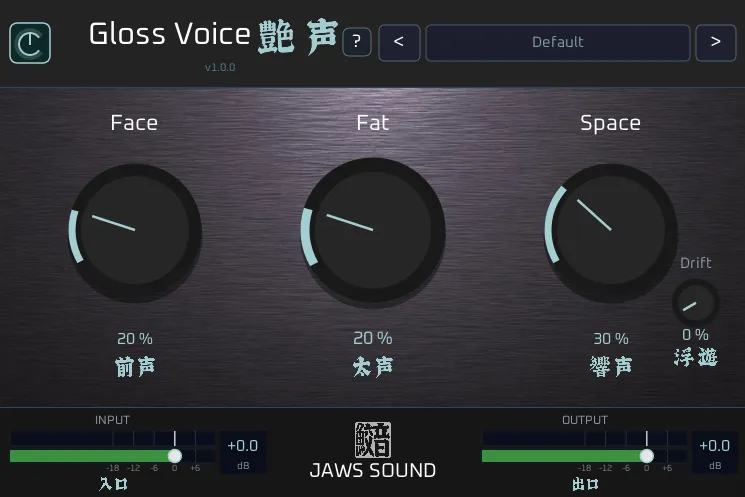
Vocal Processor
Gloss Voice
艶声Gloss Voice is an all-in-one vocal processor that brings the vocal forward and gives it weight.
$59.00View
Coming soon
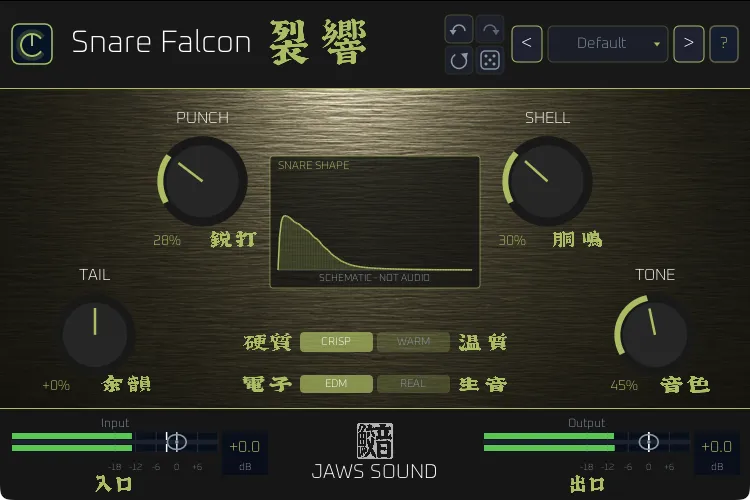
裂響
Snare Falcon replaces the chain you usually stack on a snare — transient shaper, EQ, parallel compression and saturation — with one plug-in. It shapes the snare you already have, so the result follows your sample instead of replacing it.
Release date will be announced soon.
macOS 12.0 or later. AAX requires macOS 14.0 or later.
Controls
Lifts the attack transient forward.
Adds body, density and shell resonance.
Left tightens the sustain; right lengthens it and adds ring and room. Center is the standard setting.
Moves the shell resonance from lower, heavier tones toward higher, tighter tones.
CRISP: brighter attack and wire. WARM: softer, darker response.
EDM: tighter detection, stronger punch, firmer compression. REAL: more natural response, gentler compression, longer release.
Also included
Input and output gain (−48 to +12 dB).
Schematic view of the snare shape (not the audio waveform).
Default, EDM Snap, Trap Punch, Tight Gate, Pop Shine, Boom Bap, Stick Crack, Rock Natural, Metal Shell, Thick Shell, Big Room, Jazz Light, Vintage Dark, Light Touch, Full Chain.
Step through presets with < >, open the list to search, mark favorites and load, and save your own presets.
Keeps your input and output gain when you change presets.
Undo and redo your edits.
Reset to default, and a dice button for random settings. Click a value to type it.
Platform & Installation
macOS 12.0 or later (AUv2 / VST3 / AAX).
Download and open the macOS installer (.pkg), then follow the on-screen instructions.
Sign in to JAWS SOUND Hub. Until the plug-in is activated, it passes the audio through unprocessed.
Vocal Processor
Gloss Voice is an all-in-one vocal processor that brings the vocal forward and gives it weight.
Utility
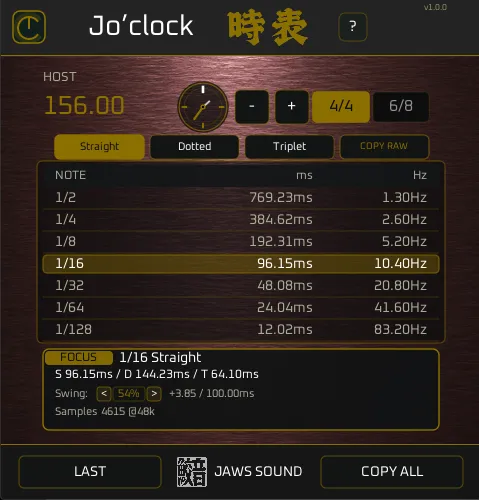
Jo'clock (時表) is a lightweight tempo utility. It gives BPM-synced values in ms, Hz and samples, ready to copy into delays, LFOs and reverb pre-delay.
Dynamics
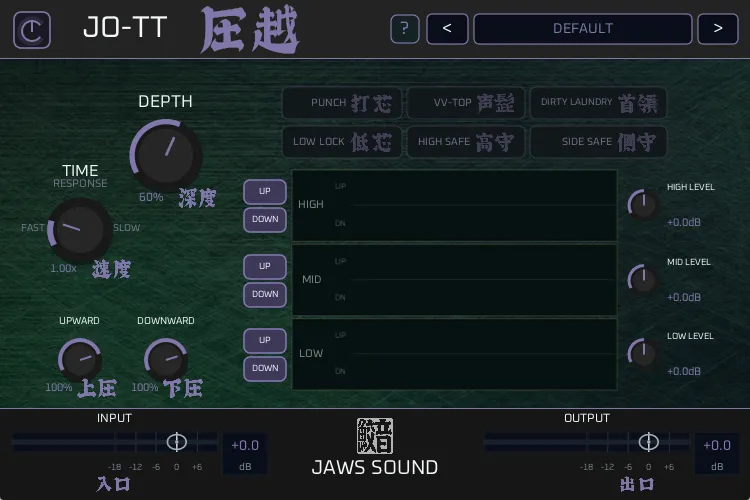
JO-TT (Atsugoe) is a 3-band dynamics processor built on heavy upward and downward compression. Turn DEPTH to bring buried ambience and definition forward.